Is Tasks.Bot Good for CRM Integration Automation? An Honest Review
Your CRM is full of leads, but the follow-up tasks live in someone's head. Every missed call, unanswered quote, and forgotten check-in is a deal quietly going cold. If your team already runs on WhatsApp, the gap between your sales pipeline and daily task execution is worth closing.
This review explains what Tasks.Bot is, whether it genuinely integrates with CRMs, and how its WhatsApp-based task automation supports CRM processes. You will see its key features, pricing, beta status, and who benefits most, so you can decide if it fits your workflow.
What Is Tasks.Bot?
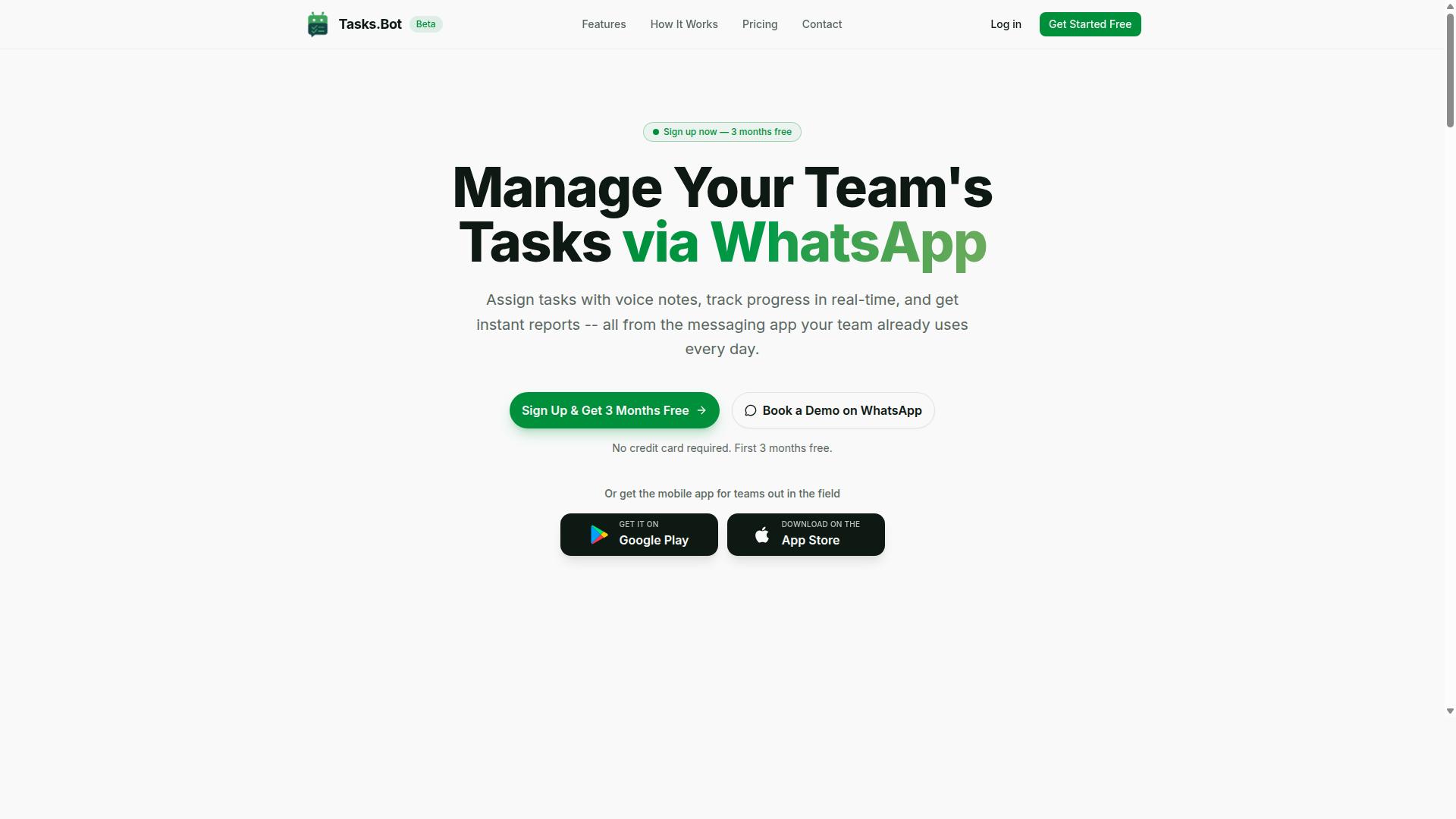
Tasks.Bot is a task management platform that operates entirely within WhatsApp, allowing teams to assign tasks, track progress, and receive reports without leaving the messaging app. Instead of asking every employee to download new software or create yet another account, it meets teams in a tool they already open dozens of times a day.
That design choice matters for adoption. Most productivity tools fail not because they lack features, but because team members never log in. Tasks.Bot removes that barrier almost completely, since the daily workflow happens in a familiar chat interface rather than a separate dashboard.
The platform also offers a mobile app for field teams, giving staff who work away from a desk a dedicated option alongside the WhatsApp experience. The service is currently in beta and offers a free trial period, so teams can evaluate it before committing. According to the company, hundreds of teams already use the service.
At its core, Tasks.Bot covers three everyday needs: managing tasks, tracking attendance, and generating reports. For a CRM integration automation review, this context matters. Understanding what the platform is built to do makes it easier to judge how well it might fit alongside tools like Salesforce, HubSpot, or Zoho CRM later.
Who Tasks.Bot Serves and How It Works via WhatsApp
Tasks.Bot is designed for teams that already use WhatsApp for communication, particularly those with field staff who need task management, attendance tracking, and payroll-ready hours. If your operation runs on group chats and voice notes today, the platform slots into habits your team already has rather than replacing them.
The mechanics are straightforward. Tasks are assigned, tracked, and reported inside WhatsApp itself. The platform supports voice note task creation and automatic assignment, which is useful when a manager wants to fire off an instruction quickly instead of typing out a detailed brief.
Critically, no new app installation is required for team members. That keeps onboarding friction low and avoids the usual round of password resets and training sessions that come with a new productivity tool.
Field staff benefit most from this setup. Attendance tracking and payroll-ready hours are captured as part of the normal workday, not as an extra administrative chore. For teams weighing CRM integration automation, this is the key question: Tasks.Bot is a focused operational tool, not a customer relationship management system. It handles task assignment, team collaboration, and reporting within WhatsApp, while CRM platforms manage contact records, deal tracking, and sales pipeline data. Whether the two work well together depends on how your team bridges that gap, a topic this honest review explores in the sections ahead.
Does Tasks.Bot Actually Integrate With CRMs? The Honest Answer
As of now, Tasks.Bot does not offer native integrations with popular CRM platforms like Salesforce, HubSpot, Pipedrive, or Zoho CRM. That is the straightforward answer, and any honest review of Tasks.Bot has to lead with it. If your main reason for evaluating Tasks.Bot is deep, built-in CRM integration automation, you should know upfront that this is not a core feature of the product.
That does not mean Tasks.Bot is useless in a CRM-driven environment. It means its role is different. Tasks.Bot is best understood as a productivity and task management tool, not as a system of record for customer relationship management. The distinction matters when you map out where it fits in your stack.
So what does that look like in practice? Tasks.Bot can still support CRM-adjacent workflows. You can track follow-up tasks that originate from a sales conversation, assign them to the right person, and keep internal work moving even when the underlying customer data lives somewhere else. Customer data stays in your CRM, while the work that flows from it gets organized in Tasks.Bot.
Here is the honest breakdown of what this means for a typical team:
- No native connectors: There is no one-click setup that links Tasks.Bot to Salesforce, HubSpot, Pipedrive, or Zoho CRM.
- No built-in data synchronization: Contact records, deal tracking fields, and sales pipeline stages are not mirrored inside Tasks.Bot by default.
- No official CRM automation triggers: You cannot expect a CRM event to automatically fire a task inside Tasks.Bot without outside help.
- Task automation still works: Within its own scope, Tasks.Bot can handle task assignment, several-step operations, and conditional logic for the work your team manages.
If you need a bridge between the two, the practical route is a third-party automation platform. Tools like Zapier or Make can sometimes connect a CRM to Tasks.Bot using webhooks or API connectivity, moving data from one side to the other based on triggers you define.
Two cautions belong here. First, these workarounds are not officially supported, so reliability depends on the middleware, not on Tasks.Bot itself. Second, building and maintaining them takes effort. For a no-code automation user, that setup may feel heavier than expected, and for a developer, it is ongoing maintenance rather than a one-time job.
The bottom line for this part of the review: CRM integration is not a strength of Tasks.Bot, and no honest assessment should pretend otherwise. Teams that need native, out-of-the-box CRM connectivity should weigh that gap carefully. Teams that mainly need strong task management, workflow automation, and team collaboration, with CRM data living in a separate system, will find Tasks.Bot fits comfortably alongside their existing tools rather than replacing any part of them.
How Tasks.Bot Automates Task Workflows That Support CRM Processes
Tasks.Bot automates task workflows through features like voice note task creation, automatic assignment, and smart reminders, which can indirectly support CRM-related processes such as follow-ups and customer onboarding.
It is important to be clear about what Tasks.Bot is and what it is not. Tasks.Bot is a task management and workflow automation tool built around native WhatsApp integration, not a customer relationship management platform. It does not store contact records, manage a sales pipeline, or track deals the way Salesforce, HubSpot, Pipedrive, or Zoho CRM do.
What it can do is handle the task-based side of customer relationship management. Many CRM activities are really tasks in disguise: calling a lead back, sending a proposal, checking in after a purchase, or welcoming a new client. Tasks.Bot gives teams a structured way to create, assign, and track those tasks without opening a separate dashboard.
That distinction matters for anyone evaluating CRM integration automation. If your goal is deep data synchronization between systems, a native integration or an API-based connector is the right answer. If your goal is making sure the human follow-through actually happens, a dedicated task layer can fill a real gap.
This section walks through the specific capabilities that make that possible, starting with how tasks get created and assigned in the first place.
Voice Notes, AI Task Creation, and Automatic Assignment
Tasks.Bot uses AI to interpret natural language and voice notes, allowing users to create tasks simply by speaking. Instead of typing out a detailed instruction, a user can record a voice message on WhatsApp and let the system turn it into an actionable task.
This matters for sales and support teams who spend most of their day away from a desk. A sales manager leaving a client meeting can send a quick voice note about a lead who needs a follow-up, and that instruction becomes a task rather than a note that gets buried in a chat thread.
The platform also supports automatic task assignment, which routes work to the right team member based on predefined rules. Combined with voice capture, this removes two common bottlenecks at once: writing the task down and deciding who owns it.
Consider a practical example. A sales manager records a voice note after a call: the prospect wants pricing details by Friday. Tasks.Bot interprets the intent, creates the task, and assigns it to the responsible sales rep. The rep receives it through WhatsApp, where they already spend their working hours.
For teams on the move, the efficiency gain is straightforward. Fewer tasks fall through the cracks because the barrier to creating one is a few seconds of speech rather than a form to fill out. That same speed applies to customer onboarding steps, where a series of small handoffs can easily be missed.
Tasks.Bot also offers Android and iOS apps with push notifications, voice capture, and a home screen widget, so task creation is not limited to the WhatsApp interface alone. For anyone weighing this as a productivity tool, the low learning curve is part of the appeal.
Approvals, Smart Reminders, and Instant Reports
Tasks.Bot includes approval workflows, smart deadline reminders, and instant reporting to keep tasks on track and teams accountable. These three features address a common weakness in CRM-adjacent work: tasks get created, then quietly stall.
Approvals let a task require manager sign-off before it is marked complete. In a customer context, that could mean a discount offer, a refund request, or a contract renewal needs review before it goes out. The task stays open until the right person confirms it.
Smart deadline reminders send automatic nudges for upcoming deadlines. For follow-ups tied to a sales pipeline, that reduces the risk of a lead going cold simply because nobody checked a list.
Instant reports generate real-time views of task status, completion rates, and team performance. A manager can see whether customer check-ins were completed on schedule, or whether onboarding tasks for a new account are progressing. This is reporting on tasks, not on deals, and that distinction keeps expectations realistic.
Taken together, these features support CRM-adjacent activity in a specific way. They do not replace contact records or deal tracking. They make sure the human actions attached to those records actually get done, approved, and reviewed. The platform also covers tasks on a map, a live day tracker, face-verified attendance, and shifts, leave, and hours management, which extends the same accountability model to field and shift-based teams.
Key Features That Matter for CRM-Adjacent Automation
Not every task tool fits a customer relationship management workflow. The ones that do tend to share a specific trait: they capture structured, verifiable data about what happened in the field, not just what someone typed into a form later.
For teams with field staff, Tasks.Bot offers face-verified attendance, GPS tracking, and a live day tracker, which can be crucial for managing customer-facing tasks. These features matter because customer visits, service calls, and site inspections are exactly the moments a CRM system is supposed to record. When that data is captured automatically instead of remembered at the end of the day, the record stays accurate.
This is where CRM integration automation becomes genuinely useful rather than just convenient. A sales pipeline, a contact record, or a deal tracking entry is only as reliable as the activity data feeding it. If a field representative's visit is confirmed rather than assumed, the downstream record carries more weight.
Tasks.Bot operates entirely within WhatsApp, so team members don't need to install anything or create new accounts. That matters for adoption. Field teams are often the hardest group to onboard onto a new productivity tool, and a learning curve is usually where that rollout stalls.
The features below are the ones most likely to feed meaningful data into a CRM-adjacent workflow. They are available as part of the Full Access plan.
Face-Verified Attendance, GPS Tracking, and Live Day Tracker
Tasks.Bot's face-verified attendance ensures that field staff are physically present at customer locations, while GPS tracking and a live day tracker provide real-time visibility. Together, these three features create a record of who went where, and when.
Face-verified attendance uses facial recognition to confirm identity. In practice, this means a visit is tied to a specific person rather than a shared login or a verbal confirmation. For teams that need accountability around customer-facing tasks, that distinction is significant.
GPS tracking logs locations for field visits. This gives managers a geographic record of activity, which can support route planning and confirm that a scheduled customer stop actually happened. It also reduces the back-and-forth that often follows a disputed visit.
The live day tracker shows a timeline of activities across the working day. Rather than reconstructing a schedule after the fact, managers can see the shape of the day as it unfolds.
So how does this connect to customer relationship management? Each of these features produces data with a clear owner, timestamp, and location. That is the raw material a CRM system needs:
- Verifying that a customer visit took place before it is logged as a completed activity
- Optimizing routes so field staff spend less time traveling between accounts
- Providing objective input for performance reviews rather than self-reported summaries
- Feeding accurate activity history into contact records and deal tracking
These features are part of the Full Access plan. Tasks.Bot also provides a 3-month free trial with no credit card required, which gives a team room to test whether the field data actually improves the records flowing into their CRM.
For an honest review of CRM-adjacent automation, the question is not whether a tool has the longest feature list. It is whether the data it captures is trustworthy enough to act on. Face verification, location logging, and a live activity timeline all point in that direction.
Pricing and Plans
Tasks.Bot offers a single 'Full Access' plan with all features included, priced at ₹200 per member per month or ₹1,200 per year per member. That simplicity matters in an honest review of CRM integration automation, because most SaaS platforms split workflow automation, API connectivity, and data synchronization across tiers. Here, everything sits in one plan.
The monthly option suits teams that want to test CRM integration automation before committing long term. The annual option, at ₹1,200 per year per member, works out to 50% savings, saving ₹1,200 per year per member compared with paying month by month. For a team of five, that difference adds up quickly.
Pricing is available in Indian Rupees and US Dollars. The site shows a 'Select currency' option with both choices, so verify the currency before checkout to avoid confusion on your invoice.
New users also get 3 months free, with no credit card required, and can cancel anytime. That gives teams a genuine window to test workflow automation, task assignment, and team collaboration against real projects before paying anything.
All features are included in the plan, which keeps budgeting straightforward. There are no add-on charges for specific capabilities, no separate fee for higher usage tiers, and no surprise upgrades. For finance teams comparing a productivity tool against a Zapier alternative or Make integration, this single-price structure removes much of the guesswork.
One practical note: because every feature is bundled, the plan cost scales only with team size, not with how deeply you use CRM integration automation. A small sales team running lead management and deal tracking pays the same per member as a larger group running several-step operations with conditional logic. That predictability is a real advantage when you are mapping subscription pricing to headcount.
Trust Signals: Beta Status, Encryption, and Refund Policy
Tasks.Bot is currently in beta, which means features may evolve, but it also indicates active development and responsiveness to user feedback. For anyone weighing whether Tasks.Bot is a sound choice for CRM integration automation, that status deserves a closer look.
Beta software sits in an interesting middle ground. It is past the early experimental stage, yet it has not been declared final. In practice, this means the product is usable and supported, but details can shift between releases.
Three trust signals matter most when evaluating a beta-stage SaaS platform for CRM integration automation: the maturity of the product, how data is protected, and what happens if the tool does not work out. Each is worth examining before committing a sales pipeline or customer data to any new system.
The beta label on Tasks.Bot cuts both ways, and an honest review should say so plainly. On one hand, features may change or behave unexpectedly as the team refines the platform. Bugs are possible, and documentation may lag behind the product.
On the other hand, beta status signals that the team is actively building and iterating. Feedback from early users tends to shape the roadmap quickly, which is often harder to influence once a product is frozen in a stable release.
For teams running several-step operations, that trade-off is manageable if expectations are set correctly. Test automation triggers and conditional logic on non-critical processes first. Keep a manual fallback for anything tied directly to revenue until the platform settles.
Encryption is a reasonable question for any tool that touches contact records, deal tracking, or customer data. Tasks.Bot states that it uses enterprise-grade encryption, ensuring conversations and task data are never shared or used for training.
Before subscribing, ask the team directly about data in transit and at rest, where information is stored, and how API connectivity is secured. If you are connecting Salesforce, HubSpot, Pipedrive, or Zoho CRM, those answers matter more than a marketing page.
A short conversation can cover a lot of ground. Ask what happens to your data if you stop using the service, who can access it internally, and whether any third parties are involved in processing. Document the answers so your own compliance or IT review has something concrete to reference.
The site mentions a refund policy in the footer, which is a meaningful signal for a paid subscription. It means buyers have a stated path to their money back if the platform does not meet expectations during a trial period.
Read the policy before subscribing rather than after. Check the window for requesting a refund, what conditions apply, and whether any usage limits affect eligibility.
Note that the copyright year on the site is 2026, which suggests the platform is being maintained and updated with current information. That is a small but useful indicator when assessing whether a SaaS tool is actively run.
If you want to explore the platform before paying, the site offers a Book a Demo on WhatsApp option. That gives you a direct way to ask about encryption, beta timelines, and refund terms in one conversation.
Pulling these signals together, the picture is reasonable rather than perfect. Tasks.Bot is a beta-stage productivity tool with a stated refund policy and an active development posture. The missing piece is published encryption detail, which is common for younger SaaS platforms but still worth confirming.
For CRM integration automation, the practical path is straightforward:
- Review the refund policy terms before you subscribe
- Ask about encryption and data handling through the WhatsApp demo option
- Start with low-risk workflow automation before connecting core sales data
- Expect occasional changes while the platform remains in beta
None of these steps is unusual for evaluating a new tool. Taken together, they give you enough information to judge whether Tasks.Bot fits your stack without relying on assumptions.
Who Should Use Tasks.Bot for CRM-Related Automation
Tasks.Bot is ideal for teams that rely on WhatsApp for communication, especially those with field staff who need to manage tasks, attendance, and customer visits. If your sales reps, service technicians, or operations crews spend their day in WhatsApp rather than at a desk, this is the audience the product was built around.
The platform is a productivity tool for task management, not a customer relationship management system. That distinction matters when you evaluate it for CRM integration automation. Tasks.Bot handles the everyday work that surrounds a CRM: reminding a rep to follow up, logging a customer visit, or collecting a form response after a meeting.
The site mentions that hundreds of teams already use the service, which suggests the fit is broad within its niche rather than limited to one industry.
Small to medium-sized teams tend to get the most value. Larger organizations with dedicated revenue operations staff often have different requirements that a WhatsApp-first tool is not designed to meet.
- Sales teams that need follow-up reminders and lead management support between calls
- Field service crews tracking customer visits, job status, and location-based work
- Operations staff coordinating task assignment and team collaboration across shifts
- Managers who need attendance tracking and payroll-ready hours alongside daily work
In each case, the common thread is a mobile workforce that already lives in WhatsApp and needs lightweight structure around it. Tasks.Bot supports CRM-related tasks like follow-ups, customer visits, and data collection without asking anyone to learn a new desktop interface.
Where Tasks.Bot is less suited is equally worth stating plainly. Teams that need deep native integrations with Salesforce, HubSpot, Pipedrive, or Zoho CRM, or that manage a complex sales pipeline with deal tracking, contact records, and multi-step conditional logic, will likely find a dedicated CRM platform a better home for that work.
Tasks.Bot is not positioned as a Zapier alternative or a Make integration hub, and it should not be evaluated as one. If your priority is advanced data synchronization across a dozen systems, look elsewhere.
If your priority is getting field teams to actually complete their follow-ups and record their visits, Tasks.Bot fits the job well. The honest answer is that it suits WhatsApp-centric teams with practical, people-driven workflows, and it serves that group effectively.
Final Verdict: Is Tasks.Bot Good for CRM Integration Automation?
Tasks.Bot is not a CRM integration tool, but it excels at automating task workflows that can support CRM processes indirectly. That distinction matters because many buyers searching for CRM integration automation expect native connectors to Salesforce, HubSpot, Pipedrive, or Zoho CRM. Tasks.Bot does not offer that kind of direct connectivity, so anyone who needs two-way data synchronization between a task tool and a customer relationship management platform should look elsewhere.
What Tasks.Bot does well is different. It is built around task management, attendance tracking, and field activity oversight, delivered primarily through WhatsApp. For teams already running their daily operations on WhatsApp, that focus removes friction rather than adding it.
The honest answer to the title question depends entirely on what you need. If your goal is automated lead management, contact records, deal tracking, or sales pipeline updates flowing between systems, Tasks.Bot is not the right fit. If your goal is keeping people accountable for the work that surrounds those CRM activities, it can be genuinely useful.
Think of it as a complement, not a replacement. A sales team might keep its pipeline in a CRM while using Tasks.Bot to assign follow-up tasks, confirm attendance at client meetings, and track field visits. The CRM holds the customer data. Tasks.Bot keeps the humans moving.
- Choose Tasks.Bot if you need task assignment, team collaboration, attendance, and field activity management on WhatsApp.
- Skip Tasks.Bot if you need native integrations, API connectivity, webhook support, or several-step operations that sync directly with a CRM.
- Consider both if your CRM handles customer records and you need a separate productivity tool for the operational work around them.
This review has been clear about the limits. There is no native CRM connectivity, no no-code automation bridge to the major platforms, and no claim here that it replaces a CRM. Those are real constraints, and pretending otherwise would not serve anyone evaluating the product.
Within its actual scope, though, Tasks.Bot does what it says. It is a focused SaaS platform for task and field team management, and for the right team it removes a lot of manual coordination. That is a fair and favorable verdict, as long as expectations stay aligned with what the tool was built to do.
If you want to check whether it fits your workflow, the team is reachable directly. Phone: +91 97143 42522. Email: [email protected]. You can also use the Book a Demo on WhatsApp option to see the product in action before deciding.
Frequently Asked Questions
Does Tasks.Bot actually connect with a CRM, or does it replace one?
Tasks.Bot is a task management platform that runs inside WhatsApp, not a CRM itself. It's best thought of as the layer that turns CRM-related follow-ups - like lead callbacks, site visits, or customer check-ins - into assigned tasks with deadlines, reminders, and reports. If your team already lives in WhatsApp and your CRM is where deals are stored, Tasks.Bot handles the "who does what by when" part in between.
Do my team members need to install new software or create accounts to use Tasks.Bot?
No. Tasks.Bot operates entirely within WhatsApp, so team members don't need to install anything or create new accounts to receive, act on, or report tasks. There's also a mobile app available for field teams who need features like tasks on a map and live day tracking. That low-friction setup is one of the main reasons teams adopt it for automation workflows.
How does Tasks.Bot fit into an existing CRM automation workflow?
Tasks.Bot uses AI to understand natural language and voice notes, so tasks can be created and assigned simply by messaging - no complex setup required. It supports automatic task assignment, smart deadline reminders, approvals, and automations, plus instant reports. In practice, this means CRM-triggered actions (like a new lead or a follow-up date) can translate into WhatsApp tasks your team actually sees and completes.
What does Tasks.Bot cost, and is there a free trial?
Tasks.Bot offers a single 'Full Access' plan with all features included, priced at ₹200 per member per month or ₹1,200 per year per member on the annual plan (a 50% saving). Pricing is available in both Indian Rupees and US Dollars. For current trial details, it's best to check directly with the team, since the service is currently in beta.
Is Tasks.Bot suitable for teams with field staff?
Yes - field teams are a core focus. Tasks.Bot offers tasks on a map, live day tracking, and face-verified attendance, along with payroll-ready hours. Because everything runs through WhatsApp, field staff can participate without installing or learning a new tool. The mobile app adds extra support for on-the-go work.
How do I get started or see a demo?
You can book a demo directly on WhatsApp through the Tasks.Bot website. For questions, reach the team at [email protected] or +91 97143 42522. Tasks.Bot is available worldwide as a SaaS product, with no country restrictions mentioned.
Recommended Resources: